
If you run a shop, newsletter, or members-only community, nothing slows momentum like a login code that never arrives. Two-factor authentication (2FA) and one-time passwords (OTPs) are supposed to build trust, not create friction, yet “I didn’t get the code” pops up for perfectly ordinary reasons: carrier delays, inbox filters, travel, or spotty data. The solution isn’t blasting more messages; it’s orchestrating delivery so the code reaches people on the channel they actually notice, at the moment they’re most likely to see it.
That’s why many teams add a lightweight routing layer, Sent API, to choose the fastest path (SMS, email, app message, or voice), handle polite fallbacks, and format OTPs for instant recognition. With orchestration in place, security feels invisible, logins complete on the first try, and your launch cadence stays on track.
Why OTPs Go Missing In The Real World
Codes vanish for mundane reasons: a phone is on airplane mode; an SMS gets delayed by carrier filtering; a user is traveling and their number is in roaming limbo; a mailbox puts the message in a “Promotions” tab the user never checks. Time of day matters too, networks run slower during commute hours and big holidays, and inboxes are noisier. The point isn’t to blame the user or the network; it’s to assume unpredictability and build delivery logic that adapts.
Choose Channels That Match Your Audience
Think about how your audience actually communicates, not just what your app can send. For many users, SMS is still the fastest way to get a code; for others who live in messaging apps, a push via their preferred channel wins. Email is reliable for people at a desk but easy to miss on the move. Voice calls can be a last-resort fallback for accessibility and low-coverage scenarios. The job to be done is simple: get a short secret to a human within seconds, on whatever path has the least friction for that person in that moment.
Build Fallbacks, Not Spam
Resending the same code over the same channel rarely helps. A resilient flow sends the first code over the primary channel, waits a short, configurable window, and, if unverified, offers a one-tap fallback to a secondary channel. The second path should be clearly different so the user notices it: email if the first attempt was SMS; an app message if the first attempt was email. Keep the UX polite. Tell the user what will happen (“We’ll send your code by email if it hasn’t arrived in 30 seconds”) and make cancellation obvious if the first code finally lands. An orchestration layer such as Sent API can automate these rules, so your team doesn’t have to micromanage edge cases.
Respect Timing, Geography, And Language
Delivery isn’t just technology; it’s context. Set timeouts that reflect your region’s networks rather than copying defaults from a vendor dashboard. If you serve a cross-border audience, localize templates and number formats, readers process “Your code is 482 993” faster when spacing matches their norms. Be careful with time-based nudges in the middle of the night; schedule retries and follow-ups for reasonable hours in the user’s time zone so your security prompt doesn’t look like spam.
Make Codes Easy To Read And Auto-Fill
Small formatting changes go a long way. Keep codes short (six digits is standard), group digits for scannability (“482 993” reads faster than “482993”), and place the code early in the message so previews show it. Avoid words and links before the code that might confuse operating system auto-fill. On iOS and Android, messages that start or end cleanly with the numeric OTP are more likely to trigger native auto-fill prompts, which means faster logins and fewer support tickets. Remind users never to share codes with anyone; phishers often pose as support asking for “verification.”
Validate Numbers Before You Send
A surprising share of OTP failures starts at signup. Typos, disposable numbers, and invalid country codes flood your database and torpedo deliverability. Put a light, real-time check on phone fields, confirm the format, country, and carrier type, before you ever send a code. If the number looks risky, offer email or app-based authentication instead of hammering a dead end. Good inputs protect both your spend and your sender reputation.
Watch The Right Metrics (And Act On Them)
Delivery rate looks healthy until it doesn’t. Track time to first delivery, median code-to-verify completion time, and the ratio of retries per successful login. Segment these metrics by channel, template, carrier, and geography so you can spot patterns, perhaps one carrier slows down at night, or a specific template gets filtered more often because of a word choice. Dashboards are helpful, but the loop only closes when your system automatically answers those patterns with smarter routing and templates that are less likely to be delayed. This is where Sent API’s event data and routing logic can quietly improve outcomes without adding manual overhead.
Keep Security And Compliance Front And Center
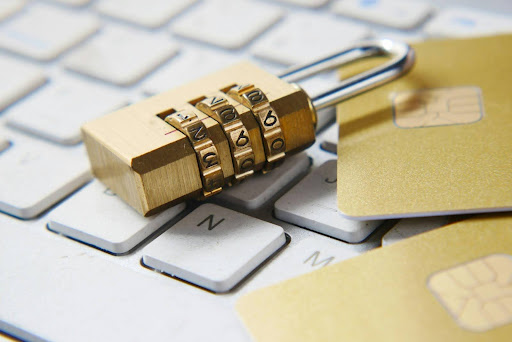
Image from Unsplash
Reliability is inseparable from security. Codes should expire quickly, and you should throttle attempts to prevent brute force and enumeration. Rotate templates periodically to reduce the odds of filters latching onto repeated phrasing.
If you’re building a full 2FA rollout for the first time, it’s worth reviewing a straight-from-the-source refresher on multi-factor authentication principles; CISA’s MFA guidance explains why multiple factors matter, the strengths and weaknesses of SMS codes, and where app-based or hardware keys may be a better fit. Even if your audience prefers OTPs for convenience, understanding the wider security landscape will help you make sensible trade-offs and communicate clearly with users.
Design Support Paths For “No Code Received”
Even the best systems have occasional misses. When a user taps “Didn’t get a code?,” don’t dump them into a generic contact form. Offer contextual choices: “Resend via email,” “Try a voice call,” or “Update phone number.” If they choose support, pre-fill the ticket with timestamp, channel, and user agent so your team can diagnose quickly. The faster you resolve the first incident, the less likely the user is to abandon your login and the more likely they are to trust 2FA next time.
Treat Login Like A Campaign, Not A Checkbox
Creators plan launches and content calendars with care, yet authentication flows are often left to defaults. Give your login the same respect as a release: test in the wild, across devices, at different times of day, with spotty connectivity, and in multiple languages. Study the pitfalls your community actually faces, dual-SIM confusion, traveling between networks, crowded inbox tabs, and tune your flow accordingly. A good OTP experience is invisible when it works and forgiving when it doesn’t.
Put It All Together
When you orchestrate delivery across channels, format codes for instant recognition, validate numbers up front, and watch completion rather than vanity metrics, lost OTPs become rare exceptions. Your audience signs in the first time, your support queue stays quiet, and your launch momentum holds steady. The technology behind the scenes can be complex, but your user’s experience should feel simple: a short code that arrives fast, in a place they already check, with clear backup options a tap away. That’s the standard to aim for, and the one your community will remember the next time they log in.